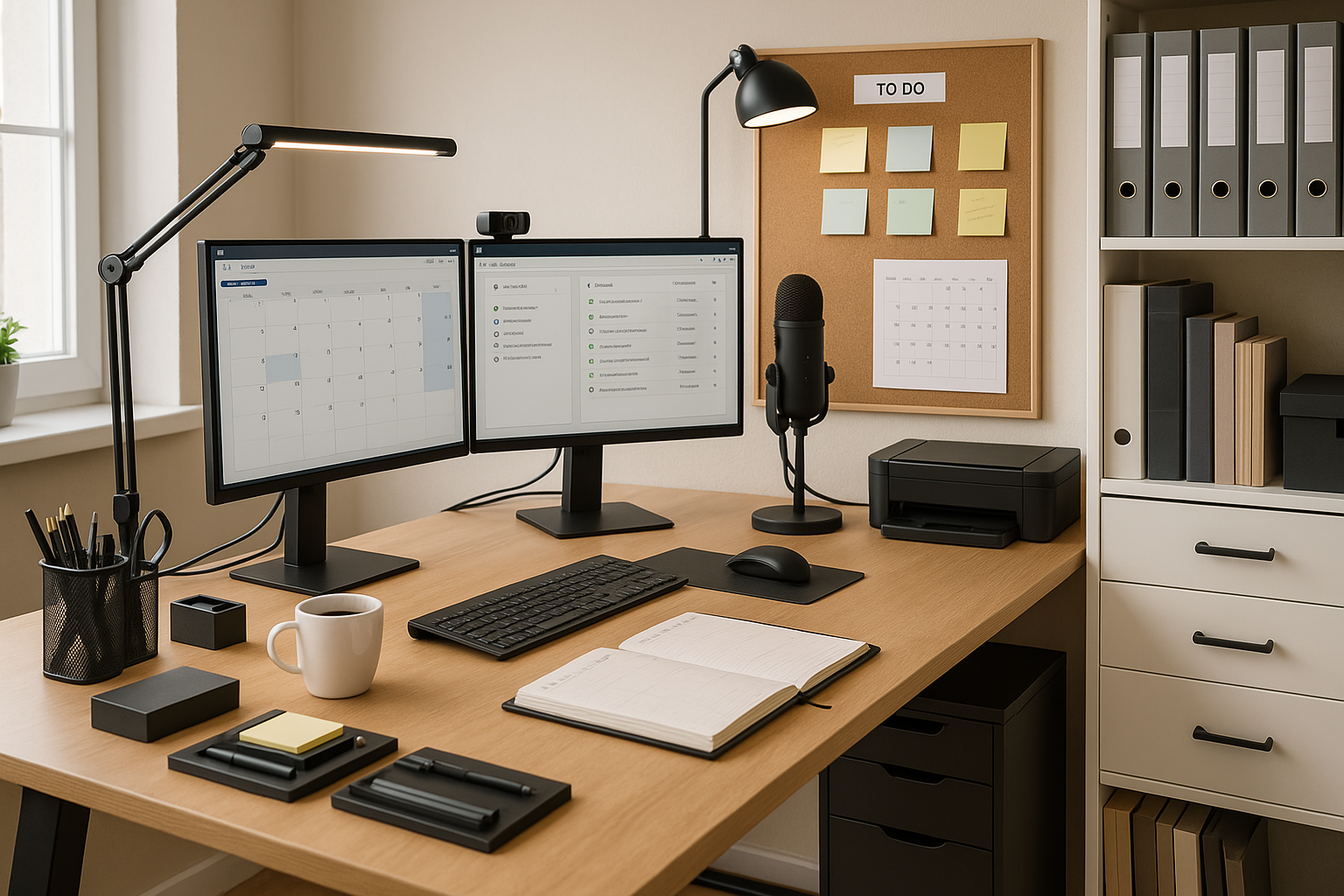
How to Create the Ideal Home Workspace: Ergonomics and Productivity
Remote work has become an integral part of everyday life for many people. A properly arranged home workspace is no longer a luxury but a necessity that directly affects our productivity, health, and overall well-being. Creating the ideal home office requires careful planning and consideration of several aspects – from ergonomics to technological solutions.
Many people underestimate the impact of the work environment on their daily well-being and the quality of their work. An incorrect sitting posture, insufficient lighting, or constant distractions can cause chronic health problems, reduce concentration, and lead to professional burnout. At the same time, a properly organized workspace can significantly improve both work efficiency and quality of life.
This guide provides comprehensive recommendations for creating the ideal home workspace. We cover all the essential aspects—from choosing a room and arranging furniture to technological solutions and productivity methods. The goal is to help you create a workspace that supports your health, increases productivity, and helps maintain a balance between work and personal life.
It is important to understand that the ideal home office is not a one-size-fits-all solution. Everyone's needs, the nature of their work, and their home environment are different. Therefore, we focus on universal principles that can be adapted to individual needs and possibilities.
Choosing and organizing a workspace
Finding a suitable location at home
The location of a home workspace significantly affects both productivity and work-life balance. Ideally, the workspace should be a separate room that allows you to focus on work without household obligations and distractions. If a separate office is not possible, a compromise must be found that ensures an environment as free from distractions as possible.
Natural light is one of the most important factors when choosing a workspace. Proximity to a window provides sufficient daylight and helps maintain a natural circadian rhythm. However, direct sunlight should be avoided, as it can cause screen glare and eye strain. Ideally, the desk should be positioned perpendicular to the window so that the light comes from the side.
Noise level is another critical factor. Avoid rooms located near traffic, neighbors, or household activities. If a quiet room is not available, consider improving sound insulation or using noise-canceling headphones.
The room should be large enough to allow comfortable movement and placement of all necessary items. The minimum recommended area is 6-8 square meters, but a functional workspace can also be created in a smaller room if it is well planned.
Temperature control is an often underestimated aspect. The optimal working temperature is 20-22 degrees Celsius. An environment that is too cold or too hot negatively affects concentration and overall comfort. If the room does not have a dedicated climate control solution, consider using a fan or heater.
Privacy is important from both a psychological and practical perspective. The workspace should allow confidential phone and video calls without family members or neighbors being able to hear them. A separate room also helps maintain a work mindset and reduce household distractions.
Space optimization and organization
Effective organization of the workspace is key to productivity and comfort. A well-organized space reduces stress, saves time, and helps maintain focus on important tasks.
The principle of minimalism is particularly important in small spaces. Keep only the items you need daily on your desk. Everything else should be organized in storage spaces or drawers. A cluttered desk can cause mental clutter and interfere with concentration.
Vertical storage space is an often underestimated resource. Shelves, a wall cabinet, or even a simple wall-mounted organizer can significantly increase storage capacity. Make the most of the walls while keeping the floor space clear for movement.
Cable management is important for both aesthetic and practical reasons. Tangled cables not only look untidy but can also obstruct movement and collect dust. Use cable clips, cable channels, or simply cable ties to organize cables.
Layered lighting means combining different light sources to create an optimal working environment. Ambient lighting (ceiling lights), task lighting (desk lamp), and accent lighting (decorative lighting) together create a versatile and comfortable lighting environment.
Maintaining a balance of personal items and decorations is important for sustaining work motivation. A few personal photos, plants, or works of art can make the space feel more welcoming and inspiring, but excessive decoration can interfere with concentration.
Storage systems should be planned with both current and future needs in mind. Consider which documents and supplies need to be quickly accessible and which can be stored farther away. Organize files and documents logically so that the information you need can be found quickly.
Ergonomics: the foundation of a healthy workspace
Correct Desk and Chair Setup
Ergonomics is the science of adapting the work environment to human needs, rather than the other way around. A proper ergonomic setup prevents occupational illnesses, reduces fatigue, and increases overall productivity.
The desk height should allow you to keep your forearms parallel to the floor while using the keyboard. For most people, the optimal height is 70-75 cm, but this may vary depending on body height. If your desk is not height-adjustable, use a footrest or a special support tray under the keyboard.
The desk should be deep enough to position the monitor 50-70 cm away from the eyes. This distance makes it possible to read text without strain and reduces eye fatigue. The desk should be wide enough to comfortably accommodate all necessary items without creating a feeling of crampedness.
Choosing the right chair is an investment in your health and comfort. A high-quality ergonomic chair should have adjustable seat height, lumbar support, adjustable armrests, and the option to adjust the backrest angle. The seat height should allow your feet to rest on the floor with your knees at a 90-degree angle and your thighs parallel to the floor.
Lumbar support is critical for preventing back pain. The natural curve of the lumbar spine should be supported by the chair's backrest. If your chair does not provide sufficient support, use a special lumbar cushion.
Armrests should support your arms so that your shoulders are relaxed and your forearms rest on the armrests at a 90-degree angle. Properly adjusted armrests reduce strain on the neck and shoulders, helping to prevent carpal tunnel syndrome and other occupational diseases.
Setting up the monitor and peripherals
Correct monitor placement plays a key role in maintaining eye and neck health. The top of the screen should be at eye level or slightly below. This allows the head to remain in a natural position and prevents strain on the neck muscles.
The distance to the monitor should be approximately an arm’s length – 50-70 cm. At this distance, your eyes will not strain when reading text, and the risk of myopia is minimal. If you use a monitor larger than 24 inches, the distance can be increased.
The screen should be tilted slightly backward—about 10-20 degrees. This ensures a comfortable viewing angle and reduces reflections from light sources. If glare appears on the screen, adjust the tilt angle or reposition the light sources.
When using multiple monitors, the main screen should be directly in front of you, while additional screens should be positioned at an angle of no more than 30 degrees. All monitors should be at the same height to avoid constantly moving your head up and down.
The keyboard should be at the same height as your elbows when you are sitting with your back straight. Your wrists should be in a neutral position—not bent up or down. Use a wrist rest if necessary, but remember that it should support your wrists during breaks, not while typing.
The mouse should be at the same height as the keyboard and close to it. Your arm should move from the shoulder, not just from the wrist. Consider using an ergonomic mouse or trackball, especially if you do a lot of graphic design work or spend a lot of time at the computer.
Workplace lighting
Proper lighting is critical for maintaining eye health and overall comfort while working. Insufficient lighting forces the eyes to strain, leading to fatigue and headaches, while overly bright light can cause discomfort and glare on the screen.
Natural light is an ideal light source for work. It provides the full spectrum of light, supports the natural circadian rhythm, and creates a pleasant work environment. At the same time, it is important to use natural light properly to avoid glare and excessive brightness.
Place the desk perpendicular to the window so that the light falls from the side. This ensures even illumination of the desktop without creating shadows or glare on the monitor screen. If the window is directly in front of or behind the monitor, use window coverings to control the light.
Artificial lighting should complement natural light, especially in the evening or on cloudy days. A combination of general lighting (ceiling lights) and task lighting (desk lamps) creates optimal working conditions.
A desk lamp should provide sufficient illumination of the desktop without creating harsh shadows. A lamp with adjustable brightness and light direction allows the lighting to be adapted to different tasks. Working with documents requires brighter light than working on a computer.
The color temperature of the light also affects comfort and productivity. Warm light (2700-3000K) creates a cozy atmosphere but may cause drowsiness. Cool light (5000-6500K) stimulates alertness and concentration but may be too harsh for prolonged work. Neutral white light (3500-4500K) provides a good balance between comfort and productivity.
Modern LED lamps with adjustable color temperature allow you to adapt the lighting to the time of day and the nature of the work. Use cooler light in the morning and during the day to stay active, and switch to warmer light in the evening to prepare for rest.
To provide the best experiences, we use technologies like cookies to store and/or access device information. Consenting to these technologies will allow us to process data such as browsing behavior or unique IDs on this site. Not consenting or withdrawing consent, may adversely affect certain features and functions.
Functional
Always active
The technical storage or access is strictly necessary for the legitimate purpose of enabling the use of a specific service explicitly requested by the subscriber or user, or for the sole purpose of carrying out the transmission of a communication over an electronic communications network.
Preferences
The technical storage or access is necessary for the legitimate purpose of storing preferences that are not requested by the subscriber or user.
Statistics
The technical storage or access that is used exclusively for statistical purposes.The technical storage or access that is used exclusively for anonymous statistical purposes. Without a subpoena, voluntary compliance on the part of your Internet Service Provider, or additional records from a third party, information stored or retrieved for this purpose alone cannot usually be used to identify you.
Marketing
The technical storage or access is required to create user profiles to send advertising, or to track the user on a website or across several websites for similar marketing purposes.